
Let's get you set up.
Your FirstTell Home system takes just a few minutes to install.
- No app.
- No Wi-Fi.
- No activation.
Watch the Setup Video
Prefer written instructions? Follow the steps below.
What's in your box
There are two devices. Both need to be plugged in.
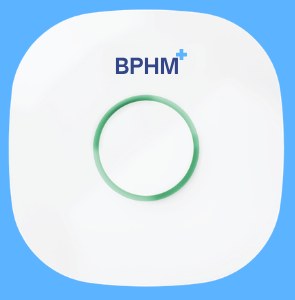
Cellular Gateway
Plugs in and connects automatically. Comes with its own power adapter.
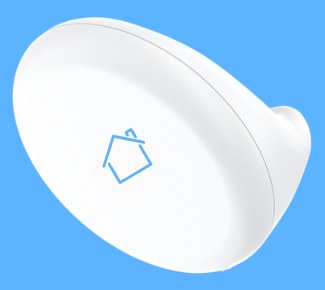
FirstTell Sensor
Plugs in and mounts above the bed. Comes with its own communication module and power adapter.
Plug in the Cellular Gateway
Connect the included power adapter to the Cellular Gateway and plug it into a standard wall outlet.
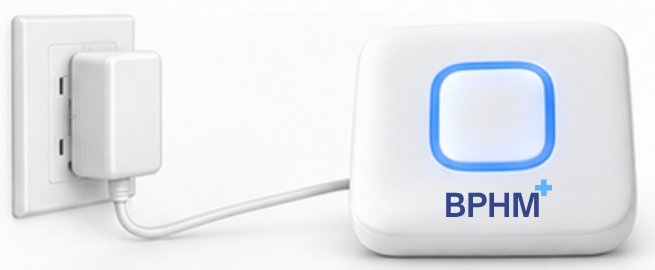
- Gateway
- Power adapter
- Wall outlet
The gateway uses built-in cellular connectivity. No Wi-Fi setup is required.
Check the Gateway Light
Starting up
Solid red
Nothing to do. Please wait.
Connecting
Blinking blue
Nothing to do. Please wait.
Ready
Solid green
You're all set. Continue to Step 2.
Plug in the FirstTell Sensor
The FirstTell Sensor is a separate device from the Cellular Gateway and has its own power connection. Connect the sensor to its communication module and plug the power adapter into a standard wall outlet.
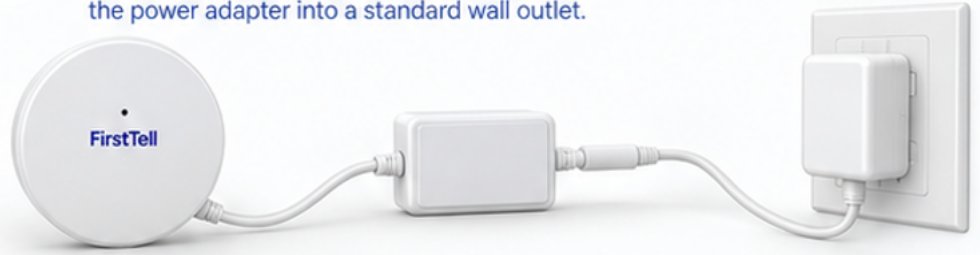
- Sensor
- Communication module
- Power adapter
- Wall outlet
Both the Cellular Gateway and FirstTell Sensor must remain plugged in.
Mount the FirstTell Sensor
The mounting tape is already applied.
Peel off the backing and stick the FirstTell Sensor directly to the wall or headboard approximately:
60 cm / 2 feet
above the mattress.
Place FirstTell over the person being monitored.
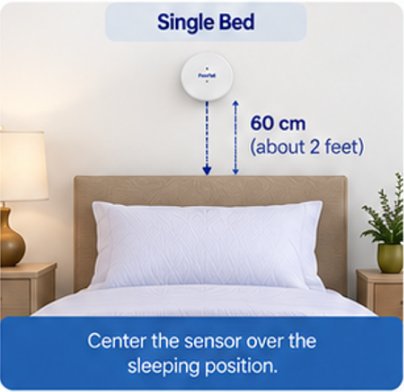
Single bed
Center the sensor over the person's normal sleeping position.
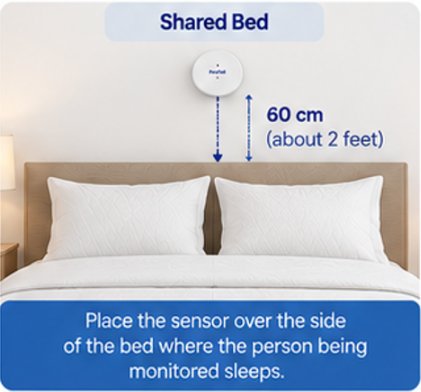
Shared bed
Do not center the sensor.
Place it on the side of the headboard directly above where the person being monitored sleeps.
Approximately 60 cm / 2 feet above the mattress.
4. That's it.
Once both devices are plugged in and the FirstTell Sensor is mounted, your system connects automatically and begins monitoring.
No app. No Wi-Fi. No activation.
FirstTell will begin learning what normal looks like.
FirstTell quietly learns your normal patterns.
Heart Rate
Breathing
Sleep
Movement
FirstTell helps identify meaningful changes from an individual's normal baseline so those changes can be reviewed when appropriate.
Need help setting up FirstTell?
We're happy to walk you through setup.